On this page
- What does RAID stand for?
- The 4 sections of a RAID log
- Risks: what might happen
- Assumptions: what you are taking for granted
- Issues: what is already wrong
- Decisions: what was decided, and why
- RAID log vs risk register vs issue log
- RAID log template (free, copy and use)
- Worked example: a sample RAID log
- Vague entries vs entries you can act on
- Who updates a RAID log, and how often?
- Common RAID log mistakes
- Frequently asked questions
- What does RAID stand for?
- What is the difference between a risk and an issue?
- Is a RAID log the same as a risk register?
- Who should update a RAID log, and how often?
- What tool do I need for a RAID log?
Quick answer: A RAID log is one project document that tracks four things: risks that might happen, assumptions the plan rests on, issues that are already happening, and decisions the team has made. Each entry gets an owner, a date, and a next step, and the team reviews the log every week.
Projects rarely fail because of one big disaster. They drift when small things get lost: a risk nobody wrote down, a problem mentioned once in a meeting, a decision nobody can explain later. A RAID log stops the drift.
What does RAID stand for?
RAID stands for Risks, Assumptions, Issues, and Decisions. Capterra describes it as a tool that tracks these four elements in one place, so teams can spot problems early.
The letters are not used the same way everywhere. The Digital Project Manager notes that A can also stand for Actions, and D can stand for Dependencies instead of Decisions. This guide uses Risks, Assumptions, Issues, and Decisions. Pick one version, write it at the top of the log, and stick to it. Keeping it current matters more than the exact letters.
The 4 sections of a RAID log
Risks: what might happen
A risk is something that has not happened yet, but could hurt the project if it does. “The supplier may ship late” is a risk. “The supplier shipped late” is not, that is an issue.
Risk entries state what might happen, how likely it is, and the damage it would do. monday.com lists probability, impact, and a mitigation plan as the core fields, alongside owner, status, and dates.
Assumptions: what you are taking for granted
Every plan rests on things nobody has proven yet: the client will approve designs quickly, the budget will hold, a key person will stay. The PMBOK Guide, published by the Project Management Institute, defines an assumption as a factor in the planning process “considered to be true, real, or certain, without proof or demonstration” (definition quoted by Project Risk Coach).
An assumption entry says what you are taking for granted, how and by when you will check it, and what changes if it turns out wrong. One that proves false usually becomes an issue, so this section is an early warning list.
A supplier who promises delivery “in 10 business days” is not promising 10 calendar days. Our guide to business days shows how the count works.
Issues: what is already wrong
An issue is a problem that is already real: a delivery is late, a test has failed, a key person is off sick. If it might happen, it is a risk. If it is happening, it is an issue and needs action today, not monitoring.
Issue entries record what happened, how much it hurts, who owns the fix, and the fix-by date. Smartsheet uses the same pattern: a resolution due date plus the steps the team will take.
Decisions: what was decided, and why
Projects make dozens of small choices: pick this vendor, drop that feature, move the launch date. Later, nobody remembers why. Each entry records the decision, who approved it, the date, and the one-line reason. Smartsheet adds the context and any actions that follow.
The reason matters most. Without it, the same decision gets argued about twice.
RAID log vs risk register vs issue log
These three documents overlap. Which one do you actually need?
| RAID log | Risk register | Issue log | |
|---|---|---|---|
| Covers | Risks, assumptions, issues, and decisions in one document | Risks only, in more depth | Issues only |
| Typical extra fields | One field set per section (template below) | Risk category, trigger, risk score, response strategy | Priority, target date, resolution notes |
| Best for | Small and mid-size projects that need one control document | Large or high-risk projects that need detailed risk analysis | Teams that only need to track live problems |
The R section works like a small risk register, borrowing register-style fields (Project Risk Coach lists risk category, ratings, a risk score, a trigger, and a response plan). The I section is an issue log inside a bigger document.
For most small and mid-size projects, a RAID log on its own is enough. Add a full risk register only when risks need scoring and deep analysis (construction, finance, safety), and keep the RAID log as the summary.
RAID log template (free, copy and use)
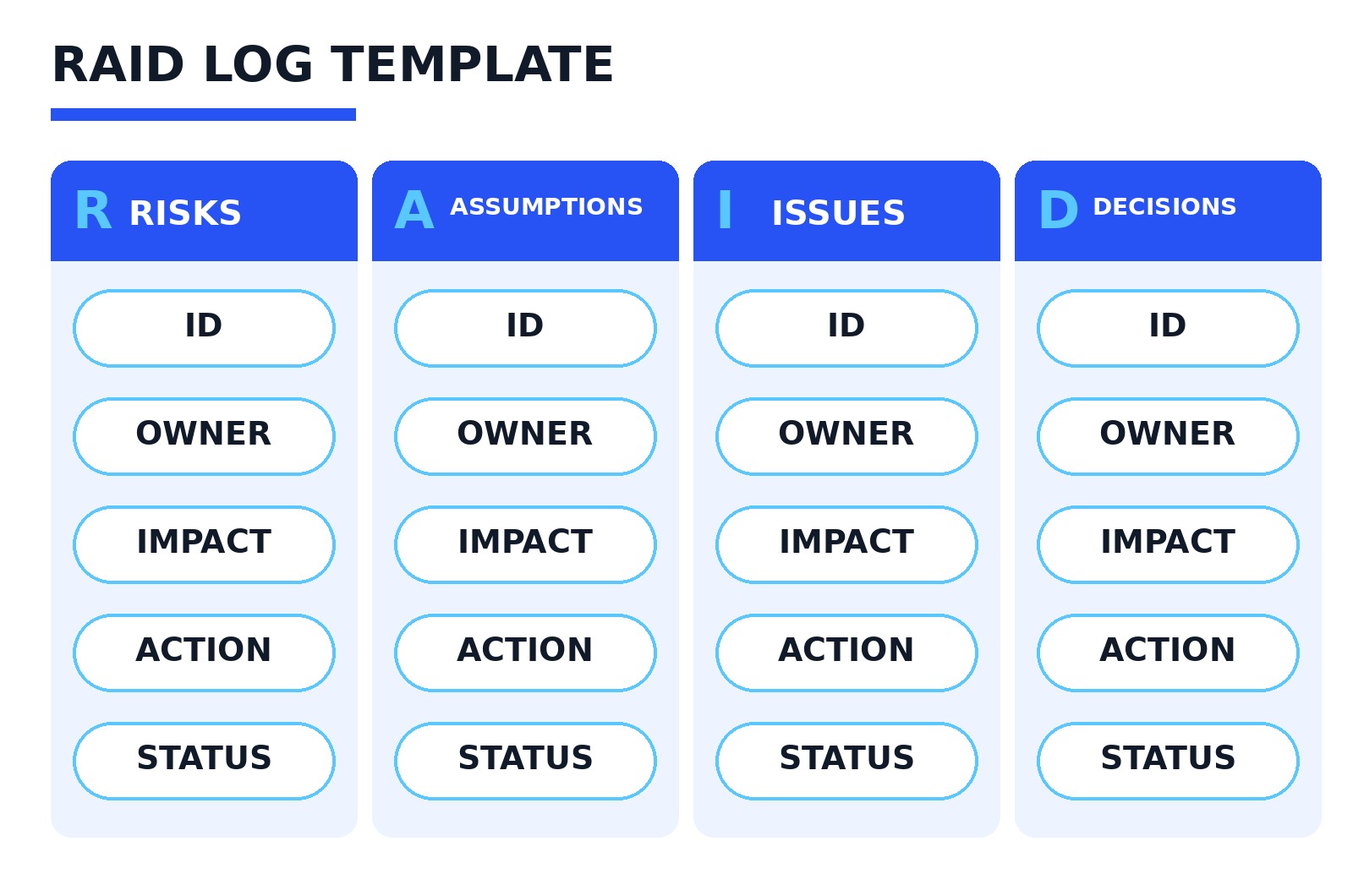
Build the log as one spreadsheet with four tabs, one per section:
Risks tab
| Field | What to write |
|---|---|
| ID | R-01, R-02, one number per risk |
| Date raised | Date the risk was first spotted |
| Owner | One named person |
| Description | What might happen and what it would hit |
| Impact | High, medium, or low |
| Likelihood | High, medium, or low |
| Response action | What you will do to cut the odds or damage |
| Review date | When you will review it |
| Status | Open, watching, or closed |
Assumptions tab
| Field | What to write |
|---|---|
| ID | A-01, A-02, one number per assumption |
| Date raised | Date the assumption was written down |
| Owner | One named person |
| Assumption | The thing you are taking as true |
| Check | How and by when you will confirm it |
| If wrong | What changes if it turns out false |
| Status | Open, confirmed, or proven false |
Issues tab
| Field | What to write |
|---|---|
| ID | I-01, I-02, one number per issue |
| Date raised | The date the problem was reported |
| Owner | One named person |
| Description | What has happened, in plain words |
| Impact | High, medium, or low |
| Action | What is being done about it now |
| Due date | The date it must be fixed by |
| Status | Open, in progress, or resolved |
Decisions tab
| Field | What to write |
|---|---|
| ID | D-01, D-02, one number per decision |
| Date decided | The date the call was made |
| Decided by | Who made or approved the decision |
| Decision | What was decided |
| Reason | Why, in one short line |
| Status | Recorded, or follow-up action if still open |
Spreadsheet-ready column lists. Copy each line into a new tab in Excel or Google Sheets and split it on the commas:
Risks: ID, Date raised, Owner, Description, Impact, Likelihood, Response action, Review date, Status
Assumptions: ID, Date raised, Owner, Assumption, Check by, If wrong, Status
Issues: ID, Date raised, Owner, Description, Impact, Action, Due date, Status
Decisions: ID, Date decided, Decided by, Decision, Reason, Status
Two setup tips. Never delete closed or resolved rows; filter them out of view instead, because they are your record at project end. Keep exactly one copy of the log where the whole team can open it: two versions means no version is true.
Worked example: a sample RAID log
The entries below come from a sample project, invented for this guide: an online store relaunch for a small clothing retailer. Names and dates are examples; the entries are written the way real ones should be.
Risks
| ID | Entry | Owner | Action | Status |
|---|---|---|---|---|
| R-01 | Payment provider may delay merchant account approval, which would block checkout testing | Sara (project manager) | Apply in week 1, chase weekly, line up a backup provider | Open |
| R-02 | Old product photos may be too low quality for the new design, forcing a paid reshoot | Tom (lead developer) | Audit all photos by 27 Mar 2026; book studio time only for gaps | Open |
Assumptions
| ID | Entry | Owner | Check | Status |
|---|---|---|---|---|
| A-01 | Warehouse team can spare one person every Friday for stock data cleanup | Sara | Confirm with the warehouse manager by 13 Mar 2026 | Confirmed on 10 Mar 2026 |
| A-02 | Current hosting plan can handle launch traffic of about 3 times a normal day | Tom | Run a load test in test week, by 8 May 2026 | Open |
Issues
| ID | Entry | Owner | Action | Status |
|---|---|---|---|---|
| I-01 | Test payment account declined on 16 Mar 2026, so checkout testing is blocked | Tom | Support ticket raised; use the backup provider test account from 18 Mar | In progress, due 20 Mar 2026 |
| I-02 | Two of five size guide pages have no content owner and are empty | Sara | Draft both from supplier size charts by 30 Mar 2026 | Open |
Decisions
| ID | Entry | Decided by | Reason | Status |
|---|---|---|---|---|
| D-01 | Launch with card payments only; add PayPal in phase 2 (decided 6 Mar 2026) | Ali (business owner) | Keeps the launch date safe while provider approval is uncertain | Recorded |
| D-02 | Move launch day from Friday 29 May to Tuesday 2 Jun 2026 (decided 20 Mar 2026) | Sara and Tom | Full team is in on Tuesday, so launch problems get fixed faster | Recorded |
Vague entries vs entries you can act on
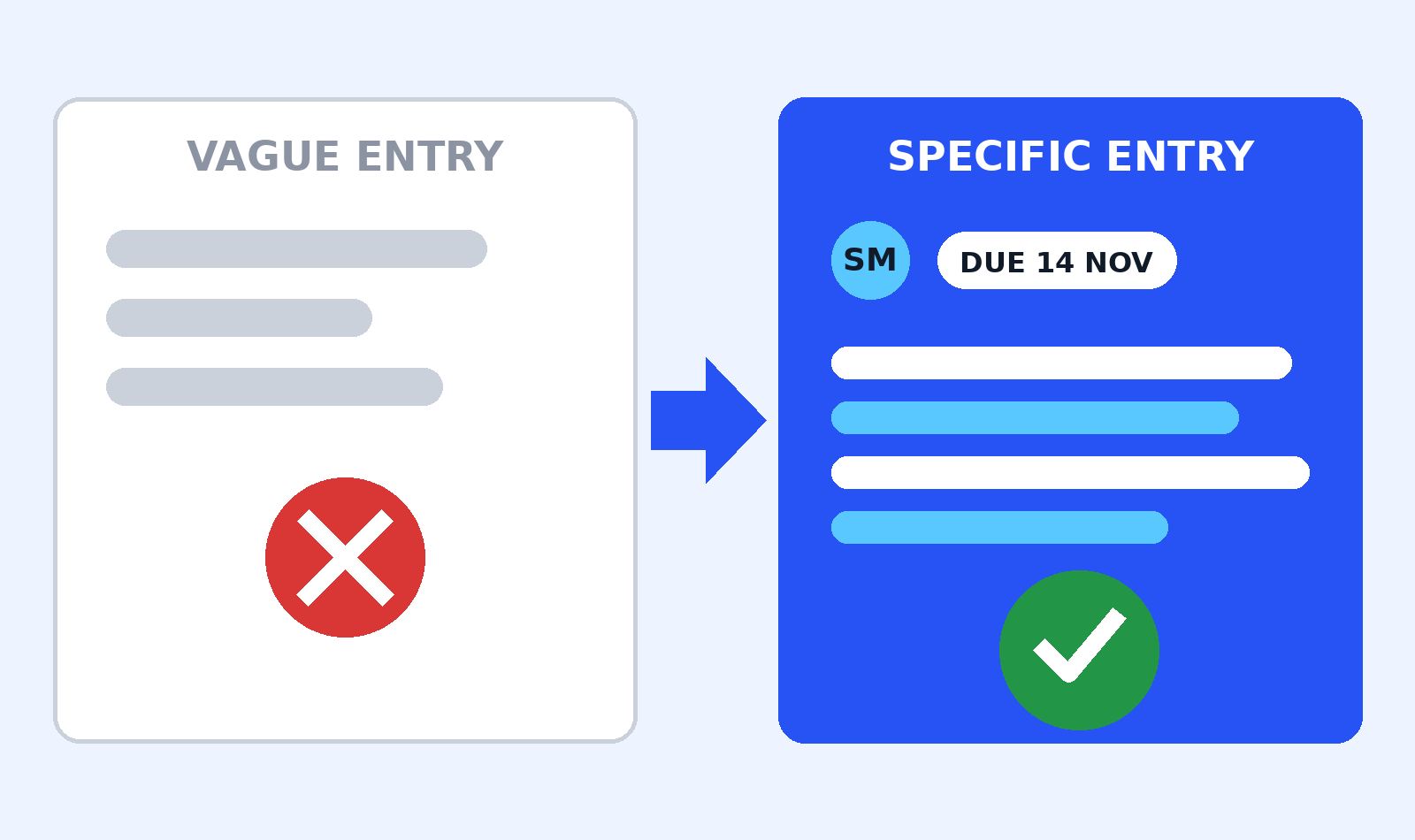
Compare these:
| Section | Too vague to act on | Specific enough to act on |
|---|---|---|
| Risk | “Payments might be a problem.” | Entry R-01: names the event, what it blocks, the owner, and the backup plan. |
| Issue | “The website has problems.” | Entry I-01: what failed, when, what it blocks, and the fix under way. |
Test every entry: could a new team member read it and know what is happening, who owns it, and what happens next? If not, rewrite it.
Who updates a RAID log, and how often?
The project manager owns the log: they keep it tidy, chase owners, and bring it to the review meeting. But anyone can add an entry the moment they spot a risk or an issue. Waiting a week loses the days when the fix was still cheap.
A workable rhythm looks like this:
- Weekly project meeting: review open issues, risks due this week, and new entries. Five to ten minutes is enough.
- Same day: update an issue entry whenever its status changes. An issue log that is a week behind is decoration.
- On the check date: test each assumption, then mark it confirmed or proven false. A false one usually spawns an issue entry.
- At phase changes: read the whole log once, close what is dead, and carry open items into the next phase plan.
Common RAID log mistakes
- Entries with no owner. “The team” is not an owner. One name, every time.
- Logging a problem as a risk after it has happened. Once real, it is an issue: action today, not a likelihood score.
- Never testing assumptions. An untested assumption is a risk in disguise. Give each one a check date.
- Decisions with no reason. Without the reason, the same argument happens twice.
- Letting the log go stale. If the weekly review stops, the log dies within weeks. Keep the slot fixed.
- Deleting closed entries. Closed rows are evidence of what was fixed and decided. Filter them, do not delete them.
Frequently asked questions
What does RAID stand for?
RAID stands for Risks, Assumptions, Issues, and Decisions. Some teams use Actions or Dependencies instead. Pick one version and stick to it.
What is the difference between a risk and an issue?
A risk might happen; an issue already has. Plan a response for risks and keep watching them. When a risk happens, it becomes an issue.
Is a RAID log the same as a risk register?
No. A risk register covers risks only, with scores, triggers, and response strategies. A RAID log covers four topics in one document.
Who should update a RAID log, and how often?
The project manager owns it, but anyone can add an entry. Review open entries weekly; update issues the same day their status changes.
What tool do I need for a RAID log?
A spreadsheet is enough for most teams: one tab per section, using the column lists above. Move it into a project tool only when sharing gets hard.
Start small. Fifteen minutes with the template above gives you a working log, and the weekly review keeps it alive. Our free converter tools cover the small conversion jobs that come up in project work.
Sources
- Capterra: What Is a RAID Log
- The Digital Project Manager: RAID Logs, Definition, Template, Examples, and How To Guide
- Smartsheet Learning Center: RAID Logs
- monday.com: RAID log explained, how to track risks, assumptions, issues, and decisions
- Project Risk Coach: What is a RAID Log (includes the PMBOK Guide definition of an assumption)
- Indeed UK: How to use a RAID log template

Jimmy
Jimmy is the editor behind TechyHunt. He covers business software, cybersecurity and practical tech how-tos, and leads testing for the site's free converter tools. His focus is clear, jargon-free guides that help readers make smarter tech decisions, faster.
Every article follows our Editorial Standards. Spotted an error? Tell us.