On this page
- What counts as an AI image editor now
- The 7 best AI image editors, compared
- Canva: best for social posts and brand kits
- Adobe Express: best for ad creatives
- Pixlr: best for photo cleanup on a budget
- Fotor: best for batch background removal
- Photopea: best free editor for deep edits
- Microsoft Designer: best if you already pay for Microsoft 365
- Leonardo: best for creating original images
- Pick by the job: the task picker
- What a year actually costs
- AI tools for social media content: the wider kit
- How to choose in 10 minutes
- Frequently asked questions
- What is the best AI image editor overall for a small business?
- What is the best free AI image editor?
- Which AI image editor is best for product photos?
- Can I use AI generated images in ads and client work?
- Which AI tools help with social media content beyond images?
Quick answer: For most small businesses, the best AI image editor is Canva, because the AI tools sit inside the designs you already make, and Pro costs US$144 a year. For photo cleanup on a tight budget, Pixlr starts at $1.99 a month. For ad work where licensing matters, Adobe Express is built on Firefly, which Adobe designed to be commercially safe.
Type “best ai image editor” into Google and you get photographer tools, chatbot editors, and long lists that copy prices from each other. This guide takes a narrower job: the images a small business or creator actually makes every week. Product photos. Social posts. Ad creatives. A logo that stays the same everywhere. Start with these seven tools.
One honesty note before the table. We did not buy and test these tools for a week, and this guide does not pretend otherwise. Every pick below is based on facts verified on the vendor’s own pages on 21 October 2026. Where a price would not show, the table says TO CHECK instead of borrowing a review site number.
What counts as an AI image editor now
Two years ago, an AI image editor mostly meant filters and one click fixes. The tools in this guide do four harder jobs. They remove or replace a background. They fill in a missing part of a picture from a text prompt, which editors call generative fill. They create a brand new image from words alone. And they clean up a photo by removing objects, noise, or scratches.
Not every tool does all four. A seller cleaning 200 product photos a month needs a different tool from a coach who posts three times a week. Keep your main job in mind as you read the table.
The 7 best AI image editors, compared
| Tool | Best for | Free plan | Paid plans from (checked 21 Oct 2026) | Standout AI feature | Watermark on free plan |
|---|---|---|---|---|---|
| Canva | Social posts and brand kits | Yes | US$12/month per person billed yearly (US$144/year), or US$18 monthly | Magic Studio AI tools inside your designs, plus a Brand Kit | Not stated on the official pages checked |
| Adobe Express | Ad creatives and branded content | Yes | TO CHECK | Firefly generative AI, designed by Adobe to be commercially safe | Not stated on the official pages checked |
| Pixlr | Photo cleanup on a small budget | Yes | $1.99/month billed yearly (Plus) | AI Generative Fill and one click background removal | Not stated on the official pages checked |
| Fotor | Batch background removal | Yes, free forever with limited credits | TO CHECK | AI Batch Edit: BG Remover and Replacement (paid plans) | Not stated on the official pages checked |
| Photopea | Deep editing and PSD files at zero cost | Yes, full editor free | TO CHECK (Premium) | One click background removal and text based replace inside a full PSD editor | Not stated on the official pages checked |
| Microsoft Designer | Quick designs for Microsoft 365 users | Yes | No standalone plan; more AI credits via Microsoft 365 | AI designs and images from a short text prompt | Not stated on the official pages checked |
| Leonardo | Creating original images from text | Yes, 150 tokens a day | TO CHECK | Many image models, plus training a model on your own images | Not stated on the official pages checked |
A note on the watermark column: none of the official pricing pages we checked on 21 October 2026 states a watermark rule for free plan images, so we leave it blank rather than guess. The limits that do show up on free plans are AI credit caps and locked features.
Canva: best for social posts and brand kits
Canva is a design tool first and an image editor second, and for most small businesses that order is right. Your product photo lands inside a post, a flyer, or an ad, and Canva’s AI tools work on it right there. The free plan is free forever, with real templates and 5GB of storage, per Canva’s own plan guide. Canva Pro costs US$12 per month per person billed yearly (US$144 a year), or US$18 month to month. Pro adds the premium library, full access to AI tools, and a Brand Kit that holds your logo, colours, and fonts in one place. Pick Canva if design is a weekly job.
Adobe Express: best for ad creatives
Adobe Express is Canva’s closest rival, with one difference that matters for paid work. Its generative AI runs on Adobe Firefly. On its pricing page, Adobe says the Firefly models were trained on licensed content, such as Adobe Stock, and public domain content, and calls the result “designed to be commercially safe”. The same page says that, in general, you may use outputs from generative AI features commercially, unless a feature is marked as a beta for personal use only. The free plan is real, but Adobe is open that premium editing features, such as remove background, need the Premium plan. Pick Express if you run ads and want the clearest licensing story.
Pixlr: best for photo cleanup on a budget
Pixlr is the cheapest serious option in this guide. A free version exists, and the Plus plan costs $1.99 per month billed yearly ($2.49 billed monthly), which includes 80 AI credits a month. Premium costs $7.99 per month billed yearly and raises that to 1,000 credits. Its own homepage lists an image generator, generative fill, generative expand, background removal, object removal, and upscaling. The catch is credits: heavy AI work burns through 80 fast, so light users should start on Plus and heavy users should price Premium. Pick Pixlr if your main job is fixing photos, not laying out designs.
Fotor: best for batch background removal
Fotor’s free plan is “free forever” with limited credits, in its own words on its pricing page. The feature that earns Fotor its place here sits on the paid plans: an AI Batch Edit tool for background removal and replacement. It matters when a shop has 50 product photos shot on the same kitchen table. Fotor’s prices would not render during our check, so the table marks them TO CHECK instead of repeating the figures on review sites. Pick Fotor if background removal in bulk is your weekly pain.
Photopea: best free editor for deep edits
Photopea is the odd one out, in a good way. The full editor is free in your browser, it opens and saves PSD files, and your files never leave your device, because it runs locally. Its homepage lists one click background removal and replacing part of an image through a text description. The trade offs are the learning curve, which feels like classic photo software, and ads in the free version. Pick Photopea if you need real layers and masks and your budget is zero.
Microsoft Designer: best if you already pay for Microsoft 365
Microsoft Designer is free to use, per Microsoft’s own support FAQ. You describe what you want, and it drafts designs and images for social posts, logos, and banners. The catch is the credit system. AI actions spend monthly credits, and Microsoft 365 Personal, Family, or Premium plans give the account owner up to 4x more credits, per the product page. With no Designer only paid plan, it makes most sense as a bonus inside a Microsoft 365 subscription you already pay for. Pick Designer if your business already runs on Word, Excel, and OneDrive.
Leonardo: best for creating original images
Leonardo starts from the opposite end. Instead of editing your photo, it generates a new image from your prompt, with many models to do it. The free plan gives 150 fast tokens a day, which reset daily. One feature stands out for brands: you can train your own model on a small set of your images, so new pictures keep a consistent style. Paid subscribers keep full ownership of what they generate. Free tier users get a licence to use creations commercially, but Leonardo keeps rights in them. Pick Leonardo when the job is making images, not fixing them.
Pick by the job: the task picker
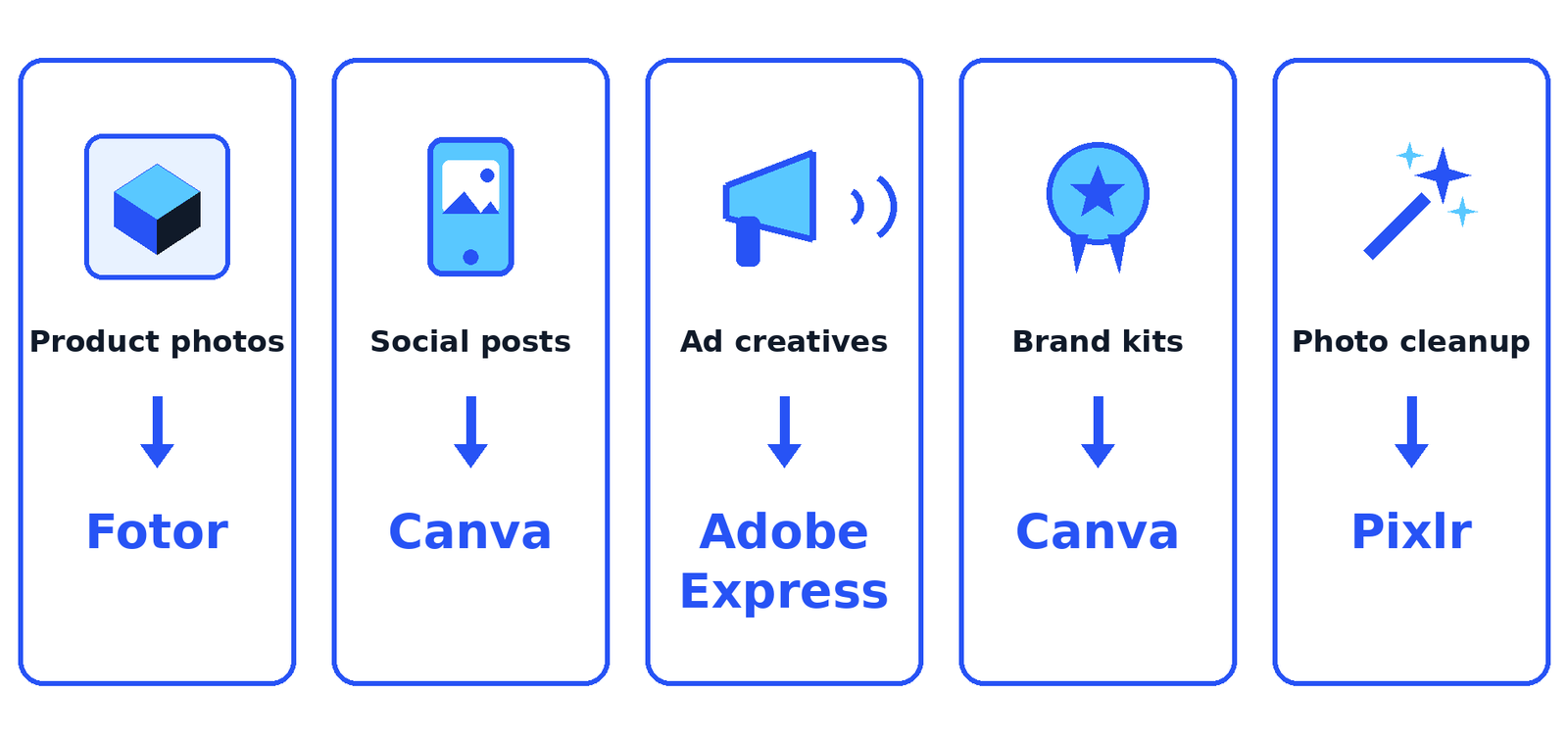
Tables compare tools. Jobs decide them. Find your most common job below and start with that tool. You can always add a second one later.
| Your job | Start with | Why |
|---|---|---|
| Product photos | Fotor (paid plan), or Pixlr for one off photos | Fotor lists batch background removal and replacement on its paid plans. Pixlr removes a background in one click for single photos |
| Social posts | Canva | Templates, a Brand Kit, and AI tools inside the design, so a post goes from photo to published in one place |
| Ad creatives | Adobe Express | Firefly is designed by Adobe to be commercially safe, and Adobe states that AI outputs may in general be used commercially |
| Logo and brand kits | Canva | The Brand Kit on Pro holds your logo, colours, and fonts, so every design stays on brand |
| Photo cleanup | Pixlr | Generative fill, object removal, and background removal from $1.99 a month billed yearly |
| New images from a prompt | Leonardo | Many generation models, daily free tokens, and custom model training for a repeatable style |
What a year actually costs
Monthly prices hide the real bill, so here is the year view for the three tools whose prices we verified. The maths: the billed yearly monthly rate, times 12.
| Tool and plan | Monthly rate, billed yearly | One year cost |
|---|---|---|
| Pixlr Plus | $1.99 | $23.88 |
| Pixlr Premium | $7.99 | $95.88 |
| Canva Pro | US$12 | US$144 |
Two lessons hide in that small table. First, the gap between the cheapest cleanup tool and a full design platform is about $120 a year, small next to one hour of a designer’s time. Second, billing matters. Canva Pro paid month to month is US$18, which adds up to US$216 a year, or $72 more than the yearly plan for the same tool. If you will still be posting in six months, yearly billing is the discount. If you are testing, pay monthly once and decide with real use behind you.
AI tools for social media content: the wider kit
The folded in question behind this guide is “social media ai tools”, and it deserves its own answer: an image editor is only one third of the social media job. The full job is three parts: make the visual, write the words, and post at the right time. AI now helps with all three, and the tools overlap a lot.
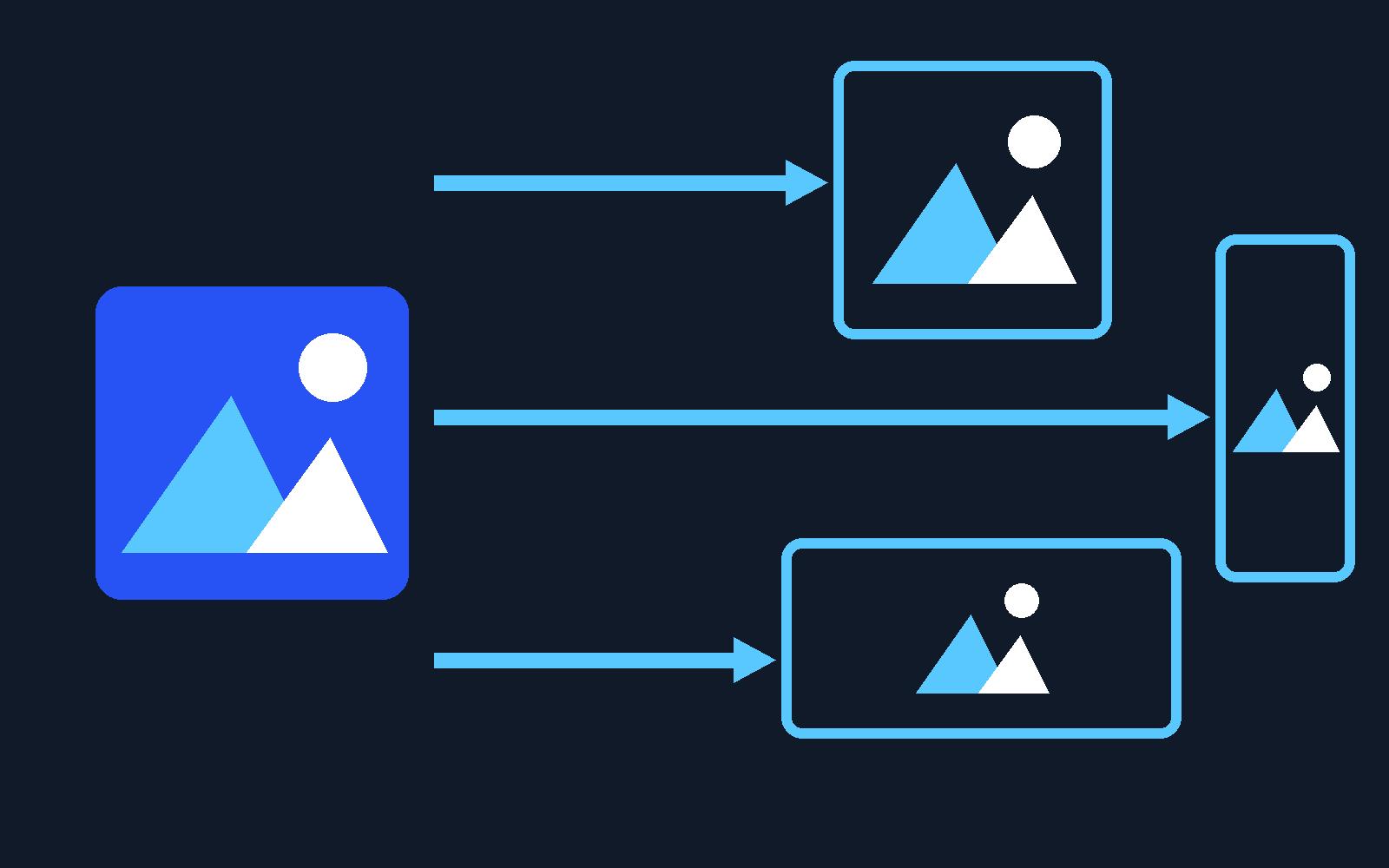
Start with the overlap, because it can save you a subscription. If you pick Canva or Adobe Express, you already own the visual half of a social media toolkit: templates sized for each platform, one design resized into a square post, a story, and a banner, plus a Brand Kit that keeps every post recognisably yours. For a solo business posting a few times a week, that may be the whole toolkit.
The gap usually shows up in the words or the queue. Scheduling tools with built in AI assistants draft your captions, suggest hashtags, and hold a week of posts in a calendar, so you are not writing at 9 p.m. every night. Buffer comes up most in current roundups for this job, with an AI Assistant for captions in its plans. If your feed needs clips, short video tools that cut a long video into ready to post pieces sit next to the image editor, not inside it. Names change fast in this corner, so check each tool’s own page for current features and price before you pay.
Our advice for a small business is a stack of two, not five. One image tool from the comparison table, chosen by your main job. One scheduling tool with an AI assistant, added only when posting by hand starts eating evenings. That stack covers the three parts of the job. When you are ready to look at schedulers, start from the free converter tools mindset we use across TechyHunt: free or cheap first, pay only when a limit actually bites.
How to choose in 10 minutes
Still torn? Run this short checklist. Does the free plan let you finish one real job, start to finish? Does the tool hold your brand in one place, if you post every week? That saves more time than any single AI trick. Does the price you verified fit the yearly table, not just the monthly headline? And if the image will run in an ad, did you read the tool’s own words on commercial use? Answer those four, and the right name is usually obvious.
Frequently asked questions
What is the best AI image editor overall for a small business?
For most small businesses, Canva. The AI tools sit inside the designs you already make, the Brand Kit keeps posts on brand, the free plan is free forever, and Pro is a verified US$144 a year. If your work is mostly photo cleanup rather than design, Pixlr is the better first buy.
What is the best free AI image editor?
Photopea gives the deepest free editor: full layers, PSD support, and one click background removal at $0, with ads as the trade off. Canva Free and Pixlr’s free version are easier to learn, but both hold back AI features or credits until you pay.
Which AI image editor is best for product photos?
For batches, Fotor: its paid plans list an AI Batch Edit tool built for background removal and replacement. For one photo at a time, Pixlr’s one click background removal on a $1.99 a month plan is hard to beat.
Can I use AI generated images in ads and client work?
It depends on the tool and the plan, so read the vendor’s own terms. Adobe states that, in general, outputs from Firefly generative AI features may be used commercially, and that Firefly was designed to be commercially safe. Leonardo’s pricing page says paid subscribers keep full ownership of generated images, while free tier users get a licence and Leonardo keeps rights. When money rides on an image, the plan you are on matters as much as the tool.
Which AI tools help with social media content beyond images?
The social media job has three parts: the visual, the caption, and the posting time. An editor like Canva covers the visual and, with its Brand Kit and resizing, part of the rest. For captions and scheduling, look at scheduling tools with a built in AI assistant, such as Buffer, and add one only when posting by hand starts costing you evenings.
Sources
- Canva: Plans and pricing guide (Pro US$12/month billed yearly, free plan, Brand Kit)
- Adobe Express: Pricing, free plan and Firefly commercial use FAQ
- Pixlr: Pricing and plans (Plus $1.99/month billed yearly, Premium $7.99/month billed yearly)
- Pixlr: Homepage, AI tools list and free version FAQ
- Fotor: Pricing, free forever plan and AI Batch Edit BG Remover
- Photopea: Homepage, free editor, PSD support and AI background removal
- Microsoft Designer: Product page, AI credits and Microsoft 365 plans
- Leonardo.Ai: Pricing, free plan tokens, model training and image rights

Jimmy
Jimmy is the editor behind TechyHunt. He covers business software, cybersecurity and practical tech how-tos, and leads testing for the site's free converter tools. His focus is clear, jargon-free guides that help readers make smarter tech decisions, faster.
Every article follows our Editorial Standards. Spotted an error? Tell us.