On this page
- What business management software actually does
- How we compared these tools
- The tools compared
- monday.com: best for visual work tracking
- ClickUp: best for having everything in one workspace
- Zoho One: best for a full suite on one bill
- HubSpot: best for a sales and marketing led business
- Asana: best for clear project timelines
- Smartsheet: best for spreadsheet minded teams
- Wrike: best for service teams with custom workflows
- What a 10 person team actually pays
- Which tool fits your type of business?
- Intranet software: the related category you may not need yet
- How to choose in five steps
- Frequently asked questions
- What is the best business management software for a small business?
- How much does business management software cost?
- Is there free business management software?
- What is the difference between business management software and project management software?
- Do I need intranet software as well?
Quick answer: Business management software puts your projects, clients, tasks, and day to day admin in one system instead of scattered spreadsheets and inboxes. For a small team, the entry paid plans in this guide cluster between $9 and $11 per user per month on annual billing, and several tools have a genuine free plan. The right pick depends on the work you run most: client delivery, a sales pipeline, or internal projects.
Most comparison pages rank these tools with scores, then hide prices behind “see website”. This guide does the opposite. Every price below was read on the vendor’s own pricing page on 21 October 2026, and where a page would not show a readable price, we say so.
What business management software actually does
The term covers software that runs the daily operations of a company in one place. In practice that means some mix of these jobs:
- Projects and tasks: plan work, assign owners, set deadlines, and see progress.
- Clients and sales: track contacts, deals, and follow ups in a CRM.
- Money admin: invoices, expenses, and time tracking that feeds billing.
- Documents and chat: files, comments, and team messages tied to the work.
- Reporting: dashboards that show what is late, who is overloaded, and what is making money.
No single tool does all five jobs equally well. Work management tools such as Asana and monday.com lead on projects. Suite tools such as Zoho One and HubSpot lead on clients and admin. That split matters more than any feature list.
How we compared these tools
We checked seven widely used tools against the same four questions: What does the entry paid plan cost per user? Is there a real free plan? What is the tool strongest at? And which plan rule changes the bill in real life?
Prices are in US dollars and use annual billing unless a monthly price is stated. Vendors change prices, so treat the figures as a checked snapshot from 21 October 2026 and confirm on the pricing page before you buy.
The tools compared
| Tool | Starting price (per user/month) | Free plan | Best for | Standout point |
|---|---|---|---|---|
| monday.com | Free plan; paid plans start at 3 users (price varies by product) | Yes | Visual project and client tracking | Work management, CRM, and dev products on one platform |
| ClickUp | $9 billed yearly (Core) | Yes | Teams that want everything in one workspace | Time tracking, docs, chat, and goals in one app |
| Zoho One | Per user/month, annual licence (two editions) | No, free trial | Businesses that want the whole suite on one bill | 50+ apps on the Standard edition, one invoice |
| HubSpot | Free tools; paid plans priced per seat | Yes | Sales and marketing led businesses | Free CRM tier, then marketing, sales, and service hubs |
| Asana | $10.99 billed annually (Starter) | Yes, up to 2 users | Project teams that need clear timelines | Dashboards, automations, and unlimited free guests |
| Smartsheet | $9 billed yearly (Pro) | No, 30 day trial | Teams that think in spreadsheets | Grid based planning with unlimited contributors |
| Wrike | $10 (Team) | Yes | Service teams with custom workflows | Shareable dashboards and interactive Gantt charts |
Three vendors, monday.com, Zoho One, and HubSpot, present their pricing in a way that did not give us a readable starting figure to quote responsibly, so their rows describe the verified plan model instead of a number. The other four prices are exact as published.
monday.com: best for visual work tracking
monday.com builds its platform around colour coded boards for projects, clients, and operations, and the same account family covers work management, a CRM, and a dev product. Non technical teams usually find it the easiest of these tools to read at a glance.
There is a free plan for individuals, and paid plans start from 3 users, with an 18 percent discount for yearly billing stated on the pricing page. Because each product is priced separately, price the exact product you will use before you budget. If your team only needs project boards, the CRM product is an extra cost you can skip.
ClickUp: best for having everything in one workspace
ClickUp tries to replace several apps at once: tasks, documents, chat, goals, and time tracking in a single workspace. Its Free Forever plan costs $0 and includes unlimited tasks. The Core plan is $9 per user per month billed yearly, and it adds unlimited storage, unlimited integrations, Gantt charts, and native time tracking. The Business plan is $17 per user per month billed yearly.
The trade off is setup. A workspace that can do everything has a lot of settings, and small teams should expect to spend time deciding which features to ignore.
Zoho One: best for a full suite on one bill
Zoho One is the closest thing on this list to buying the whole back office at once. The Standard edition bundles more than 50 applications across sales, marketing, support, HR, finance, and projects, all under one invoice and one admin panel. The Essentials edition covers 15 or more apps for smaller companies.
Pricing is per user per month with annual licensing. Read the licensing rule before you sign: the all employees pricing model requires licences for every employee on payroll, not just the people who log in daily. For a 10 person company where only six people touch the software, that rule decides whether Zoho One is a bargain or a waste.
HubSpot: best for a sales and marketing led business
HubSpot starts from the CRM and builds outward into marketing, sales, and service hubs. Its free tools tier is a real starting point for a small business that needs contact records, live chat, and basic email before it needs project management.
Paid plans are priced per seat. On the official pricing page, Starter is priced per seat, Professional includes 3 Core Seats, and Enterprise includes 5, with extra seats added per user. That model rewards businesses whose whole team sells and markets. It is a weaker fit if your main problem is delivering client projects.
Asana: best for clear project timelines
Asana is a work management tool with a clean, calm interface that teams tend to adopt quickly. The Personal plan is free forever for up to 2 users. The Starter plan is $10.99 per user per month billed annually, or $13.49 billed monthly, and it adds timeline and Gantt views, reporting dashboards, automations, forms, and unlimited free guests, which is useful when clients need to follow a project without a paid seat.
The Advanced plan is $24.99 per user per month billed annually and adds portfolios, goals, and built in time tracking. What Asana does not try to be is your finance or CRM system, so most businesses pair it with separate tools for invoicing and sales.
Smartsheet: best for spreadsheet minded teams
Smartsheet looks and feels like a spreadsheet, then adds project planning, automation, and reporting on top. For a manager who already runs the business in sheets, that familiarity is the main attraction.
The Pro plan is $9 per member per month billed yearly, or $12 billed monthly, for 1 to 10 members with unlimited contributors. The Business plan is $19 per member per month billed yearly, or $24 billed monthly, and adds unlimited guests. There is no free plan, but there is a 30 day free trial that does not ask for a credit card.
Wrike: best for service teams with custom workflows
Wrike aims at teams that deliver work for clients and need their own process shapes, not a fixed template. The free plan costs $0. The Team plan is $10 per user per month for teams of 2 to 15 users and includes shareable dashboards and interactive Gantt charts. The Business plan is $25 per user per month for 5 to 200 users and adds custom workflows and templates.
Two plan rules matter. Business plans and above are annual subscriptions only, and Wrike sells seats in groups: for accounts of up to 30 seats, subscriptions are sold in groups of five. A team of 10 fits neatly. A team of 11 pays for 15 seats.
What a 10 person team actually pays
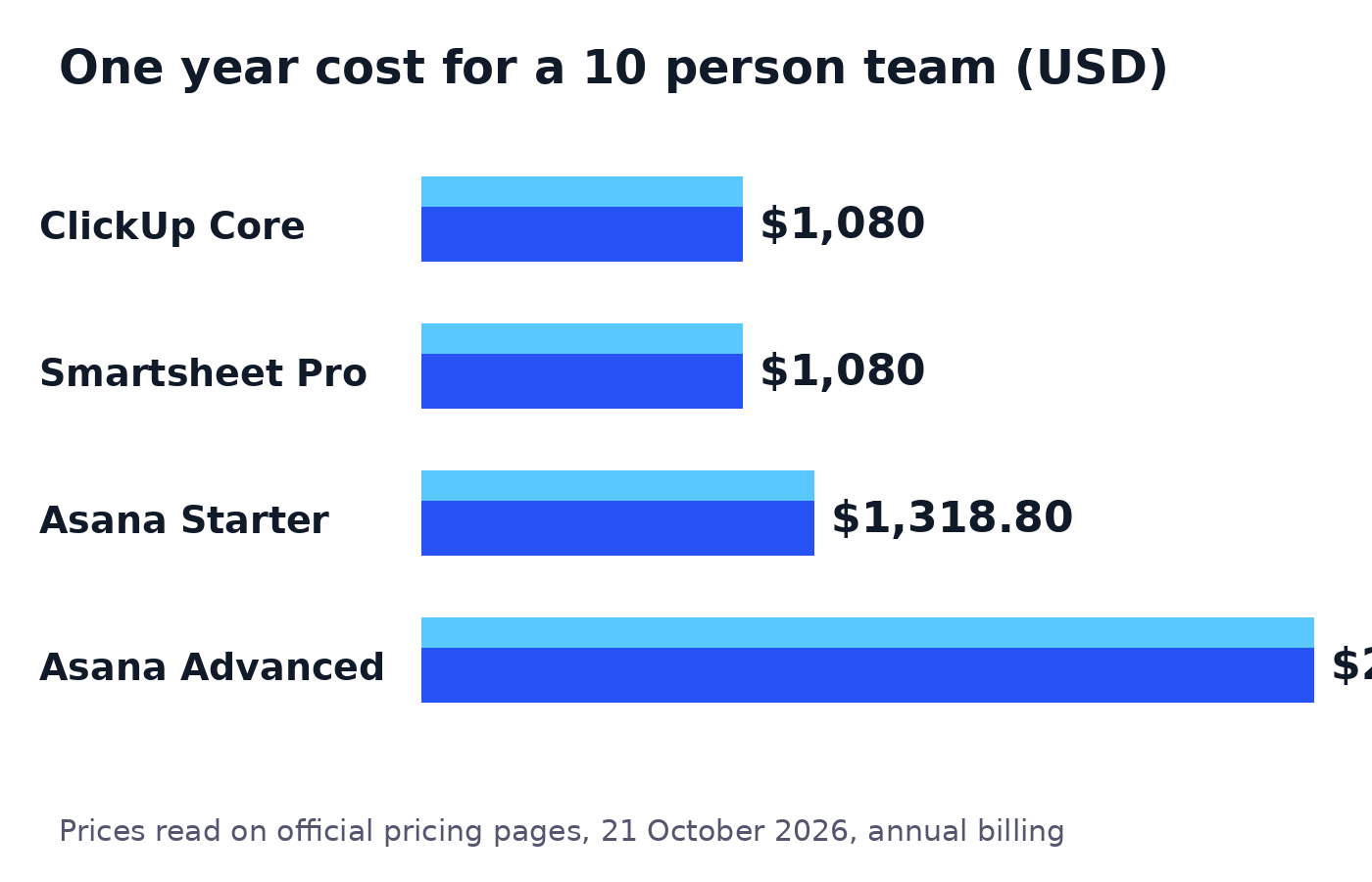
Per user prices look small. Annual totals are what leave your bank account, so here is the maths for a team of 10.
| Tool and plan | Per user/month | Maths | 1 year cost for 10 users |
|---|---|---|---|
| ClickUp Core | $9 | $9 x 10 users x 12 months | $1,080 |
| Smartsheet Pro | $9 | $9 x 10 users x 12 months | $1,080 |
| Asana Starter | $10.99 | $10.99 x 10 users x 12 months | $1,318.80 |
| Asana Advanced | $24.99 | $24.99 x 10 users x 12 months | $2,998.80 |
Three lessons from these numbers:
- The entry tier is rarely where you land. Moving from Asana Starter to Advanced more than doubles the bill, from $1,318.80 to $2,998.80 a year. Check which feature you actually need before assuming the entry plan is enough.
- Monthly billing quietly costs more. Asana Starter paid monthly is $13.49 per user, which is $1,618.80 for 10 users over a year. That is $300 more than paying annually for the same plan.
- Seat rules can beat headline prices. Zoho One’s all employee licensing and Wrike’s groups of five seats both mean you may pay for people who never log in. Count your real seats, including part time staff, before you compare.
Which tool fits your type of business?
Use this checklist against the work you do every week, not the features you might use one day.
Service business (trades, cleaning, maintenance, local services):
- You need job scheduling, client records, and invoicing to talk to each other.
- Start with Zoho One if you want finance and HR in the same bill, and accept the all employee licensing rule.
- Add a field friendly project tool only if the suite’s project app feels too heavy on a phone.
Agency or client services firm:
- You need time tracking, approvals, and a clear view of who is overloaded.
- ClickUp fits if budget matters most, since time tracking is built into its paid plans.
- Wrike Business fits if every client runs a different process and you need custom workflows and templates.
- Approvals run on deadlines, and a deadline quoted in business days is easy to promise badly, so agree how your team counts them before the client does.
Product company:
- You need goals, portfolios, and reporting across several teams.
- Asana Advanced or Smartsheet Business are the natural step up, and both are priced accordingly in the table above.
- Skip suite tools unless you also plan to move your CRM and finance onto them.
Solo owner or team under five:
- Start free. ClickUp’s Free Forever plan, Wrike’s free plan, and Asana’s free Personal plan for 2 users are all real starting points.
- Pay only when a limit bites, such as storage, seats, or reporting, and buy the smallest plan that removes that limit.
Intranet software: the related category you may not need yet
Searchers often mix up business management software with intranet software, and vendors encourage the confusion. They solve different problems.
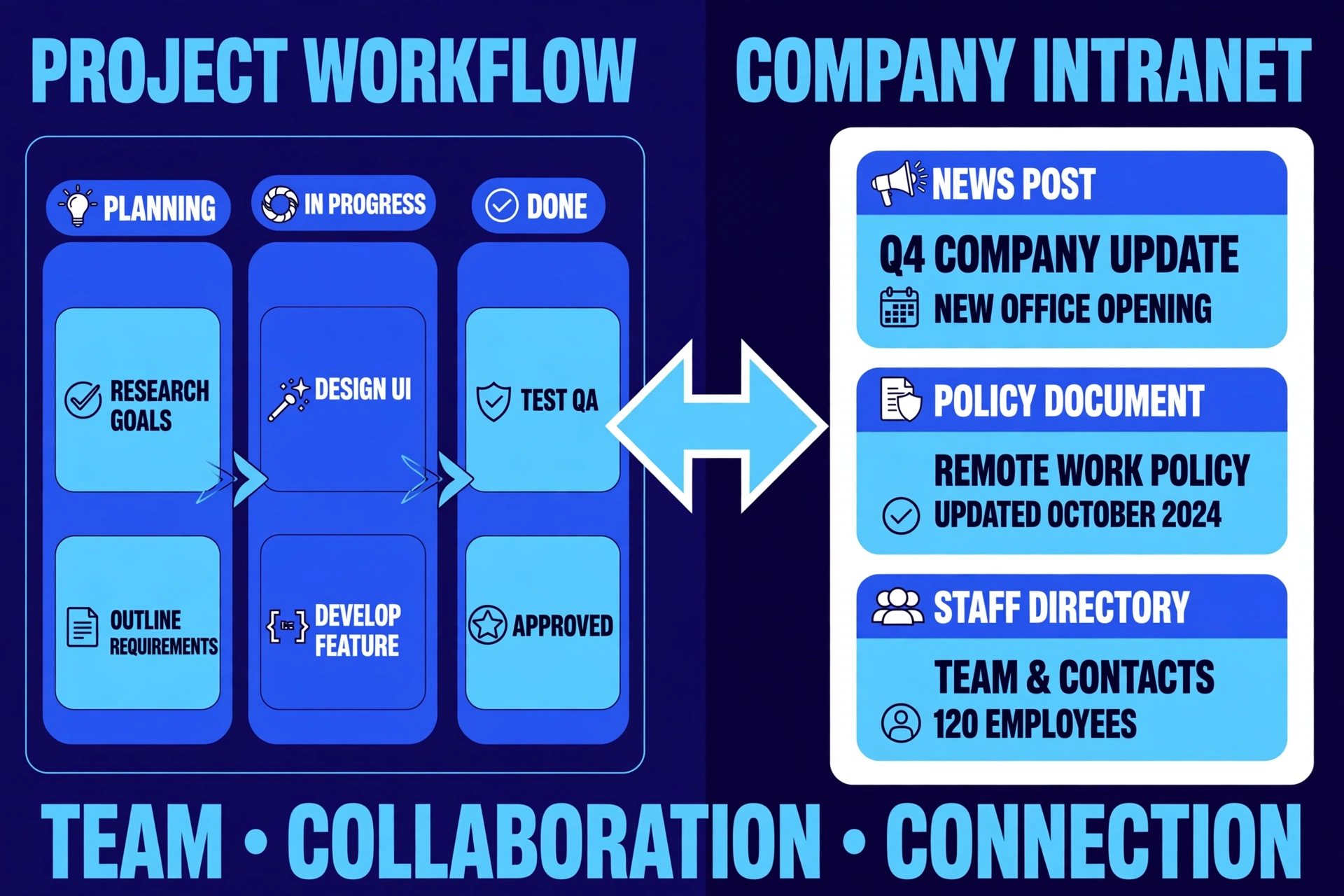
An intranet is a private internal website for your own staff. It holds company news, policies, HR documents, forms, and a staff directory. Its job is to inform people. It does not assign tasks, track a sales pipeline, or invoice a client.
You probably need an intranet instead of, or as well as, the tools above when:
- Staff work shifts or across sites and keep missing announcements sent by email.
- Policies and onboarding documents live in five different folders and nobody knows which copy is current.
- New starters ask the same questions every week because there is no single home for the answers.
For most small businesses, the honest order is work management first and intranet second. Several workspace tools include document libraries and team pages that cover light intranet needs, so prove the need before buying a dedicated intranet platform.
How to choose in five steps
- Name your main job. Client delivery, sales pipeline, or internal projects. Pick the tool that leads on that job.
- Count real seats. Include part timers and anyone the licensing model forces you to pay for.
- Run the annual maths. Per user per month times seats times 12, on the tier you will actually land on.
- Trial with real work. Run one live project or one month of clients in the free plan or trial, not a demo project.
- Check the exit. Confirm you can export your data. A tool you cannot leave is a cost you cannot control.
If your business needs a single purpose utility rather than a suite, our free converter tools run in the browser with no sign up.
Frequently asked questions
What is the best business management software for a small business?
There is no single best tool, only a best fit. Choose Zoho One if you want CRM, finance, and projects on one bill. Choose ClickUp if you want tasks, docs, and time tracking in one workspace on a small budget. Choose Asana if project clarity matters most and your finance tools already work.
How much does business management software cost?
Among the tools in this guide with published starting prices, entry paid plans run from $9 to $10.99 per user per month on annual billing, which is roughly $1,080 to $1,319 per year for a team of 10. Higher tiers reach $24.99 per user per month, so the tier you land on matters more than the starting price.
Is there free business management software?
Yes. ClickUp has a Free Forever plan, Asana’s Personal plan is free for up to 2 users, Wrike and monday.com both have free plans, and HubSpot offers free tools. Zoho One and Smartsheet offer free trials rather than free plans.
What is the difference between business management software and project management software?
Project management software plans and tracks work: tasks, owners, and deadlines. Business management software is wider and adds some mix of CRM, invoicing, HR, and documents. If you only need to run projects, the narrower tool is usually cheaper and simpler.
Do I need intranet software as well?
Only if your problem is internal communication rather than work tracking. If staff miss announcements or cannot find current policies and documents, an intranet solves that. If work itself is disorganised, fix that first with a management tool.
Sources

Jimmy
Jimmy is the editor behind TechyHunt. He covers business software, cybersecurity and practical tech how-tos, and leads testing for the site's free converter tools. His focus is clear, jargon-free guides that help readers make smarter tech decisions, faster.
Every article follows our Editorial Standards. Spotted an error? Tell us.