On this page
- What is regression testing?
- Why does software regress?
- Types of regression testing
- When should you run regression testing?
- Manual or automated regression testing?
- Regression testing techniques
- Worked example: a payment fix in a small online store
- How much regression is enough?
- Common mistakes to avoid
- Frequently asked questions
- What is regression testing in simple words?
- What is the difference between regression testing and re-testing?
- When should regression testing be done?
- Should regression testing be manual or automated?
- How much regression testing is enough?
Quick answer: Regression testing is re-running tests on software that already passed, after a change, to check that the change did not break anything that used to work. The ISTQB Glossary calls it a type of change-related testing that detects whether defects have been introduced or uncovered in unchanged areas of the software. If a feature that worked before stops working because of a change, that failure itself is called a regression.
Every developer knows the pattern. You fix one bug, and two features that were fine last week start failing. The code you changed was connected to code you did not touch, and nobody saw the link until users did. Regression testing is the discipline built to catch that moment. This guide gives the definition in plain words, explains why software regresses at all, covers the main types and techniques, and ends with a worked example you can copy: the exact regression checklist for a real style of change, a payment bug fix in a small online store.
What is regression testing?
The ISTQB Glossary, the standard reference for testing terms, defines regression testing in full as “testing of a previously tested program following modification to ensure that defects have not been introduced or uncovered in unchanged areas of the software, as a result of the changes made”. Three parts of that sentence carry the whole idea.
First, previously tested. Regression testing works on software that already has tests and already passed them. It is not the first check of a new feature. Second, following modification. Something changed: a bug fix, a new feature, a settings change, an update to the system the software runs on. Third, unchanged areas. The target is the code nobody edited. Wikipedia sums it up the same way: regression testing is re-running functional and non-functional tests to ensure that previously developed and tested software still performs as expected after a change.
This also clears up the most common mix-up in testing teams. After a fix, there are two different jobs, and they are not the same job done twice.
| Job | What it checks | Question it answers |
|---|---|---|
| Re-testing (confirmation testing) | The exact test that failed before the fix | Did the fix work? |
| Regression testing | The previously tested features around the change | Did the fix break anything else? |
Re-testing looks at the changed code. Regression testing looks everywhere else. A team that only re-tests has proved the fix works and learned nothing about the damage it may have caused on the way in.
Why does software regress?
Software rarely breaks at random. It breaks in predictable ways, and knowing them tells you where regression tests earn their keep.
Shared code. One function often serves many features. A total calculator might feed the cart page, the checkout, the invoice email, and the refund screen. Fix it for one of them and you have quietly changed all four.
Hidden connections. Features link up through shared data, settings files, and libraries, not just through direct calls. The developer who changes a data format may not know which reports read that format.
The fix itself. Patches written under time pressure tend to treat the symptom in front of the developer. The original bug goes away, and a new one appears one step to the side.
Environment changes. Sometimes the code does not change at all, but the ground under it does: a browser update, a new operating system version, a database upgrade, a replaced library. The ISTQB wording covers this on purpose. Regression testing is performed when the software or its environment is changed.
Simple growth. Every release adds code paths, and every found defect tends to add a test to the suite. After a few years, no single person holds the whole system in their head, which is exactly when a small change can surprise everyone.
Types of regression testing
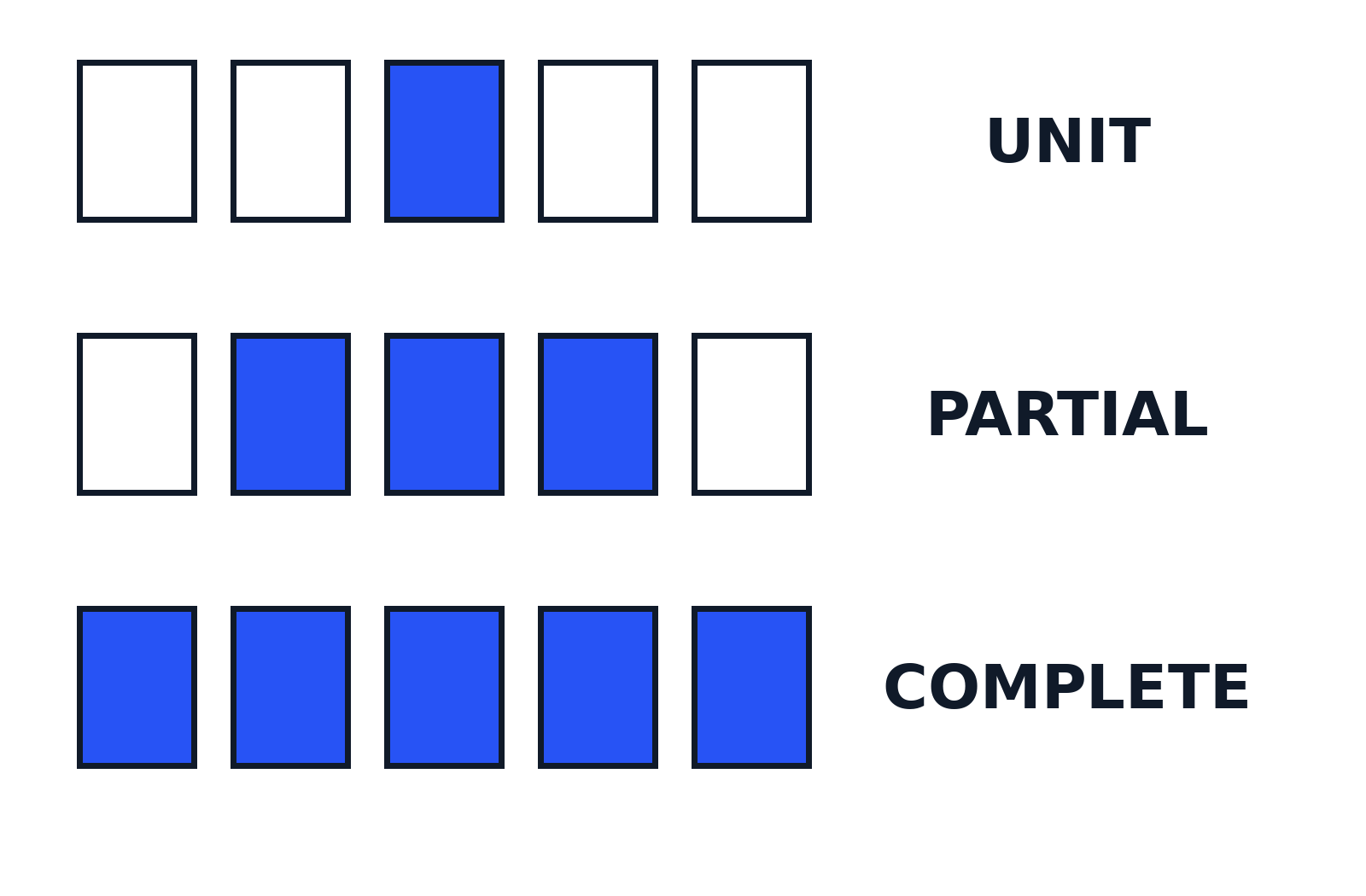
Types describe how much of the product you retest. The four you will meet most often differ mainly in scope.
| Type | What gets retested | When it fits |
|---|---|---|
| Unit regression | One unit (a function, class, or module) on its own, with its dependencies stubbed or mocked | Small local changes, refactoring a single component |
| Partial regression | The changed modules plus the unchanged code they connect to | Bug fixes and local updates, where impact analysis can name the affected areas with confidence |
| Complete regression | The whole application | Major releases, large refactors, platform or environment changes, anywhere the impact is unclear |
| Corrective regression | Existing functionality, using the existing test cases as they stand | Changes that leave the specification untouched, so no new test cases need writing first |
Two more terms appear in the same lists. Selective regression runs a chosen subset of cases, and progressive regression adds new cases because the requirements themselves grew. Read the four types above as scope, and selection, covered in the techniques below, as the method you use to pick cases inside that scope.
When should you run regression testing?
Run it after any change that could ripple, which in practice means most changes:
- After a bug fix. The fix is new code, and new code is where new defects live.
- After a new feature or an enhancement. New code joins old flows and shares their data.
- After refactoring. The behaviour is meant to stay identical, so the regression suite is the only real proof that it did.
- After configuration or environment changes. New settings, a browser or operating system update, a library or infrastructure upgrade.
- Before a major release. The widest run you can afford, across the whole product.
- Continuously, in the delivery pipeline. Modern teams wire the suite into continuous integration, so it runs on every change instead of once at the end. The ISTQB Glossary notes that in continuous integration, regression tests typically run automatically on every code change.
The pattern behind the list is simple: the bigger or less understood the change, the wider the regression run should be.
Manual or automated regression testing?
Both exist, and mature teams use each where it fits.
Manual regression testing means a person runs the cases by hand, clicking through the application. It works for a small suite, a one-off check, and exploratory testing around a change, where a tester follows a hunch no script would have. Its weakness is arithmetic: the suite grows with every release, and a person has to pay the full cost of running it every single time, with the risk of a skipped step or a misread result.
Automated regression testing means scripts run the cases. Writing and maintaining the scripts costs effort up front, but each run after that is cheap and consistent, which is why automation is the standard home for regression suites. As the Perforce guide to regression testing puts it, test automation is what lets teams in fast release cycles run regression testing on every build instead of treating it as an end-of-project event.
A workable split most teams land on:
- Automate the stable, high-value paths you run again and again: sign-in, checkout, core calculations, key user journeys.
- Keep manual the checks that change every time, one-off verifications, and exploratory sessions around risky changes.
- Review the suite itself now and then. Cases for features that no longer exist slow every run and teach the team to ignore the results.
Regression testing techniques
Scope tells you how much of the product to cover. Techniques tell you how to choose and order the cases that actually run. There are three standard ones.
1. Retest all. Run every case in the existing suite, with nothing selected and nothing skipped. It is the safest technique and the slowest, so it belongs to major releases, critical systems, and changes whose impact nobody can map. Teams that use it heavily almost always automate the suite, because the manual cost is too high to pay often.
2. Regression test selection. Run only the subset of cases tied to the change. An impact analysis works out which parts of the software the change touches, and what depends on those parts, and the suite shrinks to those cases plus the critical paths. It is much faster than retest all, and exactly as reliable as the impact analysis behind it. Miss a connection in the analysis and the matching case never runs.
3. Test case prioritisation. Run the cases, but in a deliberate order: the most critical user journeys first, the areas the change touched next, then the cases that failed most recently, then everything else. Prioritisation does not shrink the suite. It makes sure that if the run gets cut short, by a deadline or a broken build, the checks that matter most have already reported.
In practice, teams combine the second and third: select the cases the change can plausibly affect, then run them highest risk first.
Worked example: a payment fix in a small online store
Definitions stick better with a real change attached, so here is one. A small online store gets reports that some customers are charged twice when the payment gateway is slow to answer. The developer finds the cause: when the gateway times out, the checkout retries the payment, and the retry can succeed alongside the late original request. The fix changes the retry logic in the payment module so a retry carries the same payment reference and the gateway can reject the duplicate.
Re-testing that fix is one job: force a gateway timeout, confirm the customer is charged once. Regression testing is the wider job, because the payment module also handles discounts, refunds, currencies, and order records. Preparing test data is part of that job, too: testers often need a token or a payload in an exact format before a case can run, and small jobs like encoding a string for an API test are quicker with browser utilities. Our free converter tools cover tasks like Base64 encoding with no setup.
Here is the regression checklist for that checkout after the fix. It is written to be copied: 12 cases, grouped by area, each with what it proves.

| Area | Test case | What it proves |
|---|---|---|
| Cart | Add two items, change the quantity of one, and check the cart total updates correctly | Totals still calculate after the payment change |
| Cart | Apply a valid discount code and check the discounted total at checkout matches the cart | Discount logic is untouched by the fix |
| Cart | Remove all items and check checkout cannot start with an empty cart | Basic cart rules still hold |
| Payment | Pay with a valid test card and check there is one charge, for the exact order total | The normal payment path still works |
| Payment | Force a gateway timeout (the original bug) and check the retry creates one charge, not two | The fix holds under the condition that caused the bug |
| Payment | Pay with a declined card and check no order is created and the shopper sees a clear error | Failed payments still fail safely |
| Payment | Pay in a second currency and check the charged amount matches the converted total | Currency conversion still feeds the charge correctly |
| Orders | Complete an order and check the confirmation email and the order record show the same total that was charged | Order records match the money |
| Orders | Refund a completed order in full and check the refund amount equals the charged amount | The refund path through the same module still works |
| Orders | Check a guest checkout order appears in the admin order list with the right status | Guest orders still record properly |
| Accounts | Log in, select a saved card at checkout, and check it is charged once | Saved payment methods still work after the fix |
| Accounts | Open a returning customer’s order history and check past orders show unchanged | Old order data was not disturbed |
Notice what the checklist does not do: it barely touches the retry logic itself. That was re-testing. These 12 cases exist to prove the fix did not leak into the features that share the payment module.
How much regression is enough?
There is no fixed percentage, and anyone who gives you one is guessing. The working rule, echoed in the TestMu AI guide to regression testing and in ISTQB material, is that the run should cover the risk of the change: start with the critical paths, then widen or narrow by impact. This decision table turns that rule into something you can apply on the day.
| Situation | How much regression to run | Why |
|---|---|---|
| Small bug fix in one module | Partial: the module, what connects to it, plus a smoke pass over the critical paths | The impact is local, but shared code means the neighbours need checking |
| New feature added | Selective: the affected areas and the new feature’s neighbours, ordered by risk | New code joins old flows; selection keeps the run short enough to fit the release cycle |
| Big release or major refactor | Complete: retest all | The impact is wide or unclear, and the cost of a miss is highest at release time |
| Hotfix in production | Targeted partial on the fix and the critical paths first, then the full suite straight after | Speed matters most mid-incident, but the skipped coverage is a debt to pay the same day |
Whichever row you land on, write down what you ran and what you skipped. An undocumented small run looks exactly like no run at all when something fails later.
Common mistakes to avoid
Three mistakes account for most failed regression efforts. The first is testing only the fix, which is re-testing under a grander name, and learning nothing about side effects. The second is letting the suite grow forever: every defect adds a case, nobody removes the cases for features that were deleted years ago, and the run slows until the team starts skipping it. The third is ignoring the environment, running the full suite after a code change but none after a browser, library, or infrastructure update, even though the second change can break just as much as the first.
Regression testing is, in the end, a habit rather than a phase: after every change, ask what the change could have broken, and run the tests that would know. The definition is one sentence. The discipline is running it when nobody is watching and the deadline says skip it.
This guide is part of the software testing explainers on TechyHunt.
Frequently asked questions
What is regression testing in simple words?
It is re-running tests that already passed, after something in the software changes, to make sure the features that worked yesterday still work today. If a change breaks an old feature, that break is a regression, and regression testing is how you catch it before your users do.
What is the difference between regression testing and re-testing?
Re-testing runs only the test cases that failed before, to confirm the fix worked. Regression testing runs tests on previously tested, unchanged features to confirm the fix did not introduce new defects somewhere else. The ISTQB Glossary treats them as separate jobs, and a proper fix needs both.
When should regression testing be done?
Whenever the software or its environment changes: after a bug fix, a new feature, a refactor, a configuration change, or an update to the operating system, browser, or libraries underneath. The larger and less understood the change, the wider the regression run should be. Many teams run it automatically on every change through continuous integration.
Should regression testing be manual or automated?
Both, in different places. Automate the stable cases you run again and again, such as sign-in and checkout, because automation makes frequent runs cheap enough to happen on every build. Keep manual testing for exploratory checks around a change and one-off verifications, where human judgement finds things a script was never told to look for.
How much regression testing is enough?
Enough to cover the risk of the change. For a small fix, the changed module, its neighbours, and the critical paths may be plenty. For a major release, nothing short of the full suite gives real confidence. Start with a smoke pass over the critical journeys, then widen the run based on the impact analysis.
Sources
- ISTQB Glossary: Regression Testing (definition, re-testing distinction, when performed, CI practice)
- Wikipedia: Regression testing (definition and change triggers)
- Perforce (Perfecto): What Is Regression Testing? (automation practice in fast release cycles)
- TestMu AI: What is Regression Testing? Types, Process, Examples (types and test selection)
- ToolsQA: Regression Testing (ISTQB definition summary, when to perform)
- TechyHunt: worked checkout regression checklist and scope decision table in this guide (original, written for this article)

Jimmy
Jimmy is the editor behind TechyHunt. He covers business software, cybersecurity and practical tech how-tos, and leads testing for the site's free converter tools. His focus is clear, jargon-free guides that help readers make smarter tech decisions, faster.
Every article follows our Editorial Standards. Spotted an error? Tell us.